How I Turned the Old SuperNews Theme Into a Fast, Modern, Lightweight Template
When I started rebuilding my site, I didn’t choose a modern block theme, a fresh FSE layout, or a “performance-optimized” premium package.
I was using something most people today would call outdated: SuperNews, a theme from the era before WordPress split into the block world and modular script architecture.
SuperNews was built at a time when WordPress still worked the old way — no invasive Gutenberg, no FSE, no global styles, no 15 CSS files, no 20 JS bundles.
It was one of the last generations of themes that were still lightweight, stable, and understandable.
Instead of replacing it, I decided to revive it, clean it up, modernize it — and see whether it could outperform new themes.
Why I Kept SuperNews
- it was lightweight, with no builders
- it had no external dependencies
- it was stable, even if outdated
- I knew its structure well
- I had full control over every file
- modern themes are often too heavy and too complex
Most importantly:
SuperNews was the last oldschool theme that still worked flawlessly on WordPress 6.0.1, the final version before Gutenberg became invasive.
It was the perfect base.
What Was Wrong With SuperNews
Not the design. Not the PHP. Not the HTML.
The real issues were elsewhere:
- Google Fonts API
- multiple JS files the theme no longer needed
- CSS files that weren’t used anywhere
- TGM plugin activation, forcing plugin installation
- companion plugin hooks, even though the plugin wasn’t installed
- remote calls inside theme options
- old jQuery calls, no longer needed
- inline scripts blocking rendering
And something I discovered later:
SuperNews was built with the assumption that external calls would always be allowed — something I didn’t want anymore.
The Key Decision: Blocking External Calls via .htaccess
When I saw the theme calling Google API, TGM servers, remote CSS and JS, and companion plugin endpoints, I decided to cut all of it off at the server level, not inside WordPress.
.htaccess is:
- faster
- more reliable
- independent of WP, the theme, and plugins
- active before WordPress even starts
So I created a full external-call block, except for the one endpoint I actually needed.
The Discovery: admin-ajax.php Must Stay Accessible
After blocking all external calls, I noticed that the gallery stopped working, the media library wouldn’t load images, and the editor became unstable.
After debugging, I realized:
WordPress galleries and the media library require access to admin-ajax.php.
It’s the only WP endpoint you cannot block if you want image uploads, gallery editing, media modal, and certain editor functions.
- So I created one exception:
- all external calls → blocked
admin-ajax.php→ allowed
The site started working perfectly — just much faster.
What I Removed, Cleaned, and Modernized
- removed Google Fonts API
- switched to local fonts
- removed unused JS files
- removed unused CSS files
- removed TGM plugin activation
- removed companion plugin hooks
- removed remote calls in theme options
- blocked all external calls via .htaccess
- allowed only admin-ajax.php
- merged CSS into one lightweight file
- moved scripts to the footer
- removed jQuery where not needed
- cleaned
header.phpandfooter.php - optimized
functions.phpto stop loading unnecessary assets
After cleaning, SuperNews became lighter than most modern themes, which today load global styles, builder scripts, multiple CSS bundles, WooCommerce templates, SVG libraries, icon packs, block scripts, and compatibility layers.
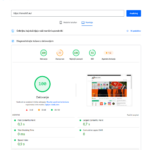
Performance Results
Mobile
- Speed Index: 1.2 s
- LCP: 2.3 s
- Performance: 97
Desktop
- Performance: 99
- Best Practices: 100
These are numbers I usually see on static HTML sites, headless WP setups, and ultra-light custom themes — not on old theme + old WP version + modern PHP.
What I Learned
- Old themes aren’t slow — the scripts inside them are.
- Modern themes aren’t always fast — they’re often too heavy.
- Removing dependencies is more important than adding features.
- A clean theme is faster than a “modern” theme with 20 assets.
- Manual cleanup beats optimization plugins.
- Blocking external calls is the fastest optimization.
admin-ajax.phpis the only WP endpoint you must keep open.
You don’t need a new theme — you need a clean theme.
FAQ (English, SEO‑friendly, for the SuperNews article)
1) Why did I keep the old SuperNews theme instead of installing a modern one? Because SuperNews was lightweight, stable, builder‑free, and still worked perfectly on WordPress 6.0.1, making it an ideal base for manual optimization.
2) Why did I remove Google Fonts API from SuperNews? External Google Fonts calls slow down page loading and add dependency on third‑party servers; local fonts are faster and more reliable.
3) Why did I remove TGM plugin activation and companion hooks? The theme no longer needed forced plugins, and these hooks added unnecessary calls and potential entry points without providing real value.
4) Why did I block the theme’s external calls via .htaccess? Because blocking at the server level is the fastest way to stop unnecessary HTTP requests (Google API, remote CSS/JS, TGM) before WordPress even starts.
5) Why must admin-ajax.php stay accessible even after blocking external calls? Without access to admin-ajax.php, galleries, the media library, and parts of the editor stop working, and the theme breaks in everyday use.
6) How did cleaning up SuperNews affect performance? After removing unused CSS/JS, blocking external calls, and optimizing functions, the theme reached a Speed Index of 1.2 s and Performance scores of 97/99 on mobile and desktop.
7) Can you use an old WordPress 6.0 system on the new PHP 8.3 version?
Yes You can! And you can make it more secure, faster and independen. All about in detail post How I Got an Old WordPress Running on Modern PHP — And Made It Faster Than New Versions >>